Step 1: Define the Meeting Goal and Desired Outcome
Most remote meetings fail before anyone joins the call. The problem is not the technology. It is the absence of a clear goal.
Learning how to influence stakeholders in remote meetings starts with one question: what decision do you need from this call? A vague goal like “align on the project” gives you nothing to aim at. A sharp goal like “secure budget approval for phase two” tells you exactly what to prepare, who to invite, and when to stop talking.
Stakeholder influence is the ability to shape what a decision-maker thinks, feels, and chooses, even when you have no direct authority over them. In a remote setting, that skill has to work through a screen.
Write your goal as a single sentence before you send the invite. Then define the desired outcome in measurable terms:
The decision you need made
Who makes it
What “yes” looks like
What happens if the answer is “no”
This guide from The Method Lab walks through eight steps, from goal-setting to follow-up, so you can run a remote meeting that actually moves a decision forward.
Pro Tip If you cannot name the decision in one sentence, you are not ready to schedule the meeting. Send a short pre-read instead and save everyone the call.
Step 2: Map Stakeholders and Assess Their Influence
Stakeholder mapping is the process of listing everyone who can affect or be affected by your decision, then ranking them by how much power and interest they hold. Do this before you build the agenda.
The Power-Interest Grid for Remote Meetings
The power-interest grid sorts people into four groups:
In a remote meeting, the “keep satisfied” group is the one people forget. These are senior stakeholders who do not care about the detail but can kill your proposal in one message. Send them a two-line summary before the call.
Identifying Decision-Makers vs. Influencers
The decision-maker signs off. The influencer shapes how the decision-maker thinks. They are rarely the same person.
Look for the person who speaks last in meetings. That is often your real decision-maker. Then find who they listen to between meetings. That is your influencer.
Map both. Build your case for the influencer first.
Step 3: Use a Stakeholder Meeting Agenda Template That Drives Decisions
A stakeholder meeting agenda template is a structured document that lists each agenda item, the owner, the time box, and the decision required. It turns a discussion into a decision engine.
Most agendas list topics. A decision-driving agenda lists outcomes. Here is the structure we recommend:
STAKEHOLDER MEETING AGENDA
Meeting goal: [one sentence]
Decision required: [what needs approval]
Date/time: [include time zone for every attendee]
1. Context (5 min) - Owner: [name]
Outcome: Everyone shares the same facts.
2. Options review (10 min) - Owner: [name]
Outcome: Two or three options on the table.
3. Stakeholder input (15 min) - Owner: Facilitator
Outcome: Concerns and priorities captured.
4. Decision (5 min) - Owner: [decision-maker]
Outcome: Clear yes, no, or next step.
5. Action plan and owners (5 min) - Owner: [name]
Outcome: Tasks assigned with dates.
Send the agenda 48 hours ahead. Add a time zone line for every attendee. That single detail prevents the most common remote meeting failure.
<div style="margin:1.5rem 0; padding:16px 20px; background-color:#fffbeb; border-left:4px solid #fde68a; border-radius:0 8px 8px 0;">
<strong style="display:block; margin-bottom:4px; color:#111827; font-size:14px;"> Watch Out</strong>
<span style="color:#374151; font-size:15px; line-height:1.6;">Never open a remote meeting by asking "can everyone see my screen?" It signals that you have not prepared and hands control of the room to whoever answers first.</span>
</div>
## Step 4: How to Get Stakeholder Buy-In Before the Call
How to get stakeholder buy-in comes down to one principle: never ask for a decision in public that you have not already tested in private. Buy-in is built before the meeting, not during it.
### Pre-Wiring the Decision
Pre-wiring means speaking to each key stakeholder one-to-one before the group call. You are not asking for approval. You are testing the idea and adjusting it.
A common mistake is treating pre-wiring as a formality. It is the actual work. By the time the group meets, the decision should already be 80% settled.
Run these three questions in each pre-wire:
- What concerns would you raise if we moved forward?
- What would make this an easy yes for you?
- Who else needs to hear this before we decide?
Then adjust your presentation materials to answer those concerns directly. When the call happens, you are confirming alignment, not creating it.
## Step 5: Run the Virtual Meeting: Influence Techniques That Work on Camera
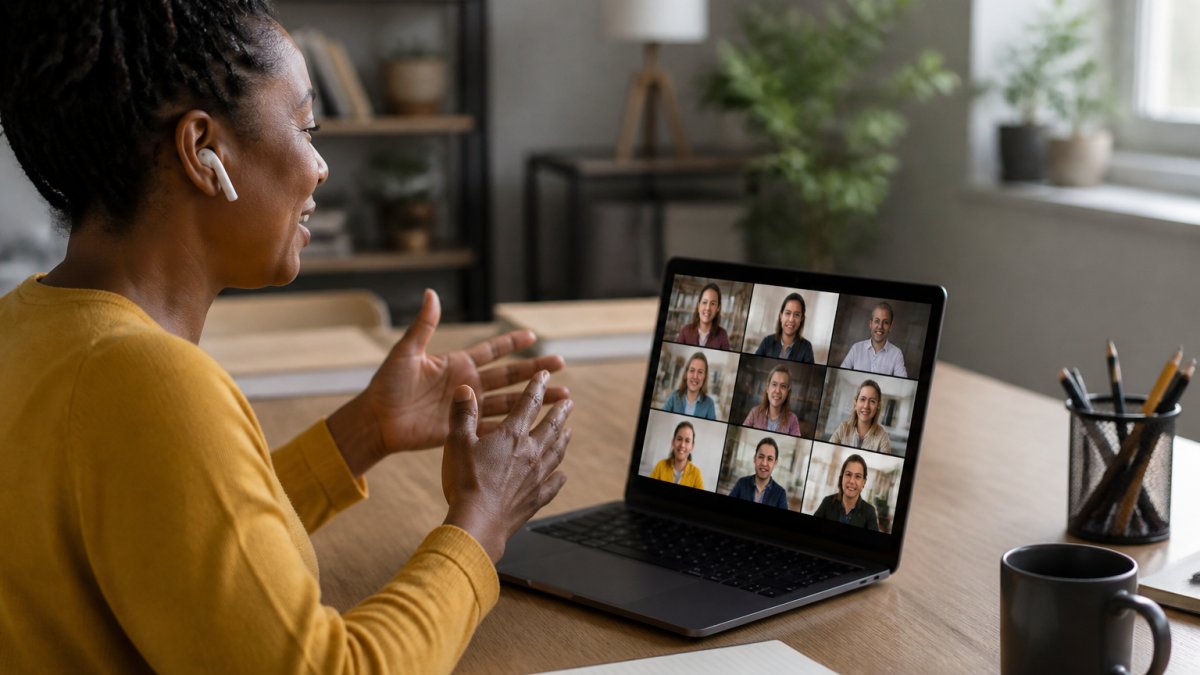
A business professional speaking on a video call, gesturing toward a laptop screen showing a presentation, with a notebook and coffee on a clean desk in a home office
Remote meetings strip out the signals you rely on in person. No hallway chat, no reading the room, no catching someone's eye. You have to build those signals back in on purpose.
### Remote-Specific Influence Techniques
Start with a virtual check-in that takes 60 seconds. Ask one question with a real answer, not "how is everyone?" Try: "One word for how your week is going." It gets cameras on and voices in the room.
Then use these techniques:
- **Name people before you ask.** "Jordan, you raised the budget question last week. Has anything changed?" This gives quiet participants a safe entry point.
- **Use polling for alignment.** A quick poll shows where the group stands without putting anyone on the spot.
- **Assign roles.** One person watches the chat, one keeps time, one captures decisions. Participation rises when people have a job.
- **State the decision out loud.** "So we are agreeing to option B with a review in 30 days. Is that right?" Silence is not agreement on a video call.
### Influence Across Time Zones and Asynchronous Work
Influence without formal authority gets harder when half your stakeholders are asleep during your call. Asynchronous work is where remote influence is really won.
Record a five-minute video walkthrough of your proposal. Send it 24 hours before the live call. People arrive already informed, and your live time goes to the decision instead of the background.
For stakeholders in other time zones, run a two-part process:
- **Async first:** written proposal, recorded walkthrough, and a shared document with online commenting enabled.
- **Live second:** a short 20-minute call for objections and the decision only.
This respects their time and yours. It also creates a written record of the reasoning, which matters when the decision gets revisited later.
<div style="margin:1.5rem 0; padding:16px 20px; background-color:#f0fdf4; border-left:4px solid #bbf7d0; border-radius:0 8px 8px 0;">
<strong style="display:block; margin-bottom:4px; color:#111827; font-size:14px;"> Key Takeaway</strong>
<span style="color:#374151; font-size:15px; line-height:1.6;">Influence in remote meetings is mostly built between meetings. The call is where you confirm alignment, not where you create it.</span>
</div>
## Step 6: Virtual Stakeholder Engagement Best Practices
Virtual stakeholder engagement best practices are the habits that keep remote participants active instead of passive. Engagement is not a personality trait. It is a design choice.
Build these into every remote meeting:
- **Cap the call at 30 minutes** for decision meetings. Shorter meetings force sharper agendas.
- **Open with the decision, not the background.** Send background as a pre-read.
- **Use interactive technology** like polls, reactions, and breakout rooms, but only where they serve the goal.
- **Give every attendee a speaking slot.** Even 30 seconds of airtime raises commitment.
- **Watch for the drop-off.** If cameras go off and chat goes quiet, stop and ask a direct question.
Active listening matters more on camera, not less. Repeat back what you hear: "So the concern is timeline, not cost. Did I get that right?" This shows empathy and catches misunderstandings early.
## Step 7: Stakeholder Meeting Examples and What They Teach
Stakeholder meeting examples show how small structural choices change outcomes. Here are two patterns we see often.
**The pre-wired approval.** A team lead needs sign-off on a new process. Instead of presenting cold to six people, she speaks to the two most senior stakeholders first. She adjusts the proposal based on their concerns. In the live call, the decision takes four minutes. The lesson: pre-wiring does the heavy lifting.
**The async decision.** A distributed team cannot find a time that works across three time zones. They record a short walkthrough, share a document with commenting turned on, and hold a 20-minute call for objections only. The decision lands in two days instead of two weeks. The lesson: async preparation makes short live calls possible.
Both examples share one trait. The facilitator prepared the audience, not just the slides.
<div style="margin:1.5rem 0; padding:16px 20px; background-color:#f0f9ff; border-left:4px solid #bae6fd; border-radius:0 8px 8px 0;">
<strong style="display:block; margin-bottom:4px; color:#111827; font-size:14px;"> Pro Tip</strong>
<span style="color:#374151; font-size:15px; line-height:1.6;">After any stakeholder meeting, send a one-page summary within two hours. List the decision, the owners, and the dates. People who missed the call stay aligned, and the record protects the decision later.</span>
</div>
## Step 8: Measure Influence and Follow Up After the Meeting
Measuring influence means tracking whether your meeting changed what people think and do, not whether people attended. Attendance is not a result.
Track these signals after each stakeholder meeting:
- **Decision rate:** Did the call end with a clear decision?
- **Action completion:** Did owners deliver on the dates assigned?
- **Objection trend:** Are the same concerns coming back across meetings?
- **Stakeholder feedback:** Ask two attendees what would have made the call better.
Follow-up is where influence becomes trust. Send the summary, confirm the action plan, and check in with the people who raised concerns. Relationship building compounds. Each well-run meeting makes the next one easier.
If the decision went against you, ask what would change their mind. That question keeps the door open and often reveals the real objection you missed.
---
Influencing stakeholders remotely is a skill you can build with the right structure. The Method Lab offers client-ready tools for exactly this work, including the [Remote Facilitation Playbook](/product/remote-facilitation-playbook/) with its virtual agenda template and async decision workflows, the Executive Communication Mastery Guide for high-stakes stakeholder conversations, and the Executive Presence & Leadership Brand Guide for building credibility on camera. Get your free toolkit from The Method Lab and walk into your next stakeholder meeting with a plan that holds up on screen.
<section style="margin:3rem 0 2rem 0;" itemscope itemtype="https://schema.org/FAQPage"><h2 style="font-weight:700; margin:0 0 4px 0;">Frequently Asked Questions</h2><div style="padding:20px 0; border-bottom:1px solid #e5e7eb;" itemscope itemprop="mainEntity" itemtype="https://schema.org/Question"><h3 style="font-weight:600; margin:0 0 8px 0;" itemprop="name">How do you get stakeholder buy-in in a virtual meeting?</h3><div style="line-height:1.7;" itemscope itemprop="acceptedAnswer" itemtype="https://schema.org/Answer"><p itemprop="text" style="margin:0;">Buy-in starts before the call. Send a one-page pre-read with the problem, options, and your recommendation, then ask each key stakeholder for input 24 hours ahead. During the meeting, use a structured agenda with a clear decision point, invite objections early, and summarize agreements in the chat. This approach gives quiet participants a way to contribute and prevents surprises that derail consensus.</p></div></div><div style="padding:20px 0; border-bottom:1px solid #e5e7eb;" itemscope itemprop="mainEntity" itemtype="https://schema.org/Question"><h3 style="font-weight:600; margin:0 0 8px 0;" itemprop="name">How should you prepare for a remote stakeholder meeting?</h3><div style="line-height:1.7;" itemscope itemprop="acceptedAnswer" itemtype="https://schema.org/Answer"><p itemprop="text" style="margin:0;">Preparation covers three areas: people, purpose, and platform. Map who is attending and what they care about, define the single decision or outcome you need, and test your video, audio, and screen sharing 15 minutes before the call. Send an agenda 48 hours in advance with timings, and include a pre-read so the meeting time goes to discussion rather than presentation.</p></div></div><div style="padding:20px 0; border-bottom:1px solid #e5e7eb;" itemscope itemprop="mainEntity" itemtype="https://schema.org/Question"><h3 style="font-weight:600; margin:0 0 8px 0;" itemprop="name">How do you handle disagreement with a stakeholder on a video call?</h3><div style="line-height:1.7;" itemscope itemprop="acceptedAnswer" itemtype="https://schema.org/Answer"><p itemprop="text" style="margin:0;">Name the disagreement without making it personal. Say something like, 'It sounds like we see the risk differently. Can you walk me through your main concern?' Then paraphrase their point before responding. On video, pause for two seconds before replying, because audio delays make interruptions feel sharper. If the tension rises, suggest moving the specific point to a separate conversation with the two of you.</p></div></div><div style="padding:20px 0; border-bottom:1px solid #e5e7eb;" itemscope itemprop="mainEntity" itemtype="https://schema.org/Question"><h3 style="font-weight:600; margin:0 0 8px 0;" itemprop="name">What should you include in a stakeholder meeting follow-up?</h3><div style="line-height:1.7;" itemscope itemprop="acceptedAnswer" itemtype="https://schema.org/Answer"><p itemprop="text" style="margin:0;">Send a follow-up within 24 hours. Include the decision made, the rationale, action items with owners and due dates, and any open questions. For remote teams, add a short async update for anyone who could not attend live. This written record becomes your evidence of influence and keeps momentum when time zones prevent a quick follow-up call.</p></div></div></section>